

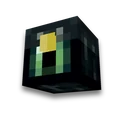
3D model of an item in the resource pack
Resource packs
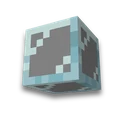
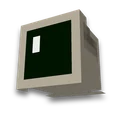
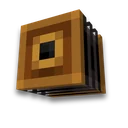
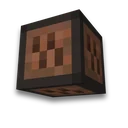
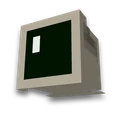
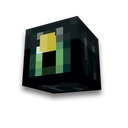
Model from Blockbench - in pack and /giveLearn more
The Blackbench model becomes the object of the game: drop the JSON model and its PNG -- check the model with client rules, show volume, and collect a resource pack with a command /give or texture by name from an obsolescence.
My game select version
We'll remember in this browser and set up where your version is available. Open link settings are more important than this choice; the Vicki versions do not change.
Model and texture
In Blockbench: File → Export → Export Block/Item Model is JSON. Texture - right-click on it → Save As. The .bbmodel project will not work.
How to enable
Result
Waiting for the modelLoad the model and texture - the volumetric model, command and resource pack will appear here.
How to use
- Export from Blockbench
The project format is Java Block/Item. “Export Block/Item Model” gives JSON, save the texture next to PNG.
- Download the pack
Place the archive in resourcepacks and enable - How to establish a resource pack.
- Receive item
Using the command from the result - or rename the item on the anvil if you chose the “by name” method.
What you need to know about 3D models
- The model is verified by the rules of the game. Cuba, from -16 to 32 on each axle, cube from one to six sides, borderline, reference "#name" to texture. The cube turns one axis by ± 22.5° or ± 45°, reading all versions of 1.21.4.
- We find the texture by the file name. Blockbench writes a path like this to the model item/sword - file sword.png will stand there. We put one texture in all places. Game textures (block/stone) remain links.
- By command - 1.21.4 and newer. Component item_model adds a new item, the vanilla one does not change. It's arranged the same way custom item texture.
- By name - 1.21.5 and later. Pak changes the definition of the item: with the desired name - model, otherwise - vanilla appearance. Items with a simple model like this are suitable textures by name.
- Texture - in one frame. A tape of frames without its .mcmeta the game will cover the entire model, and .mcmeta page does not accept.
Additional modes
- Batch rendering of items
Grant up to 16 Java models of objects into transparent PNG: ZIP with separate model.json and textures, a single image size and the same brand as the editor of the subject.
Frequently asked questions
How to add a 3D model of an item to Minecraft?
Make a Blackbench model in Java Block/Item format and export JSON. Load JSON and PNG textures, select an object -- download the resource pack and issue the item by command /give with it_model.
Is it possible to rename without commands?
Yes, with 1.21.5: Select the "by name" method - an object with the right name will become a model with a hardy name; others will not change. Items with a flat icon come in: sword, stick, totem, beer.
Why is the model not accepted?
The page checks it with client rules: the co-ordinates of cubes are between -16 and 32 and the bend of one axis is 22.5 degrees or 45 degrees. There's a cube number in the error and what's wrong with it.
















 Generator /give