
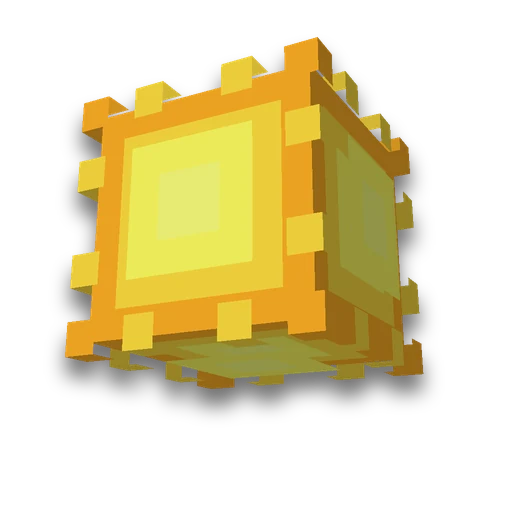
Your own sun and moon
Resource packs
Your own picture instead of the sun or moonLearn more
The most visible correction of the sky that can be made by a single file is that the sun and moon are seen from anywhere in the world. Load the image -- we collect the resource pack.
My game select version
We'll remember in this browser and set up where your version is available. Open link settings are more important than this choice; the Vicki versions do not change.
Your own picture
Game version
Result
Resource pack

Upload the image in step 1 and the “Download resource pack” button will appear.
How to use
- Download the resource pack
The “Download resource pack” button results in the zip being collected immediately, it does not remain on our disk.
- Put it in resourcepacks
Folder .minecraft/resourcepacks, then Settings → Resource Packs → enable.
- Wait until day or night
The sun is visible during the day, the moon at night. Will help speed up time of day.
What you need to know about the sky
- The moon will lose its phases. The picture is one, and phase 8 is a pack that puts it in everything, and the moon will stop passing away and arriving. It's visible from the first night.
- Paths are placed in two sets at once. Until 26.1 the sun lay at environment/sun.png, and the moon - with one atlas; from 26.1 they moved to environment/celestial/. The pack has both options, and the game takes its toll.
- The size is 32×32 pixels. So much in vanilla textures. The game will stretch more, but in the sky the sun takes up a dozen pixels of the screen, and there will be no difference.
- Transparency works. Empty spaces will remain empty—the sky will be visible through them, not a black square.
- The night will not become brighter. The pack only changes the picture: the light from the moon is counted by the game, and it does not depend on the texture.
- The picture does not get onto the disk. It lives in memory for an hour and then goes away on its own.
Collects several of his packs into one package merger. Knows how to disassemble someone else's pack Resource pack review.
Frequently asked questions
How to change the sun and moon in Minecraft?
Resource: Both textures are replaced by files and visible from anywhere in the world. The path of the package is set in two sets, up to 26.1 and after, so that it works on both tracks.
Why did the moon lose its phases?
There are eight phases, but the picture is the same: its own moon becomes the same on all nights. This is a replacement fee, not a pack error.
Will it become brighter at night?
No: the brightness of the night is determined by the light, not the texture of the moon. Its image only changes its appearance.









 Totem from skin