

X-Ray pack constructor
Resource packs
Selecting visible ores and ready-made ZIP JavaLearn more
Build a Minecraft Java X-Ray resource pack: select visible ores and blocks, download the ZIP and check the result in your world of the selected version.
My game select version
We'll remember in this browser and set up where your version is available. Open link settings are more important than this choice; the Vicki versions do not change.
How to use
- Step 1
Configure the settings on the form and click Collect and Show.
- Step 2
Click "Download ZIP" and extract the archive. The installation procedure and the necessary commands are in the README.
- Step 3
Enable ZIP in Java resource sets and test it in the local world. Server anti-xray changes the blocks transferred to the client.
What you need to know
- Controls the visibility of surrounding blocks; emissive lighting itself does not hide them.
- Enable ZIP in Java resource sets and test it in the local world. Server anti-xray changes the blocks transferred to the client.
Frequently asked questions
What does this tool create?
Build a Minecraft Java X-Ray resource pack: select visible ores and blocks, download the ZIP and check the result in your world of the selected version.
How to apply the result?
Enable ZIP in Java resource sets and test it in the local world. Server anti-xray changes the blocks transferred to the client.









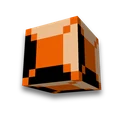
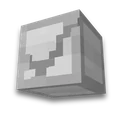
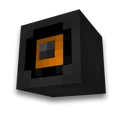
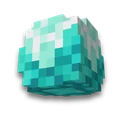
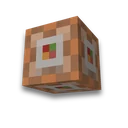
 Ores for yourself