

Minecraft Stone Papercraft
Skins and usernames
Print your skin, mobs and blocks on A4Learn more
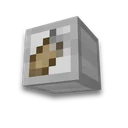
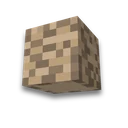
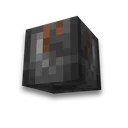
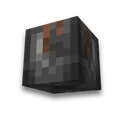
Six smooth stone faces. Print an A4 sheet, cut out the outline, and assemble it: a 6 cm cube.
My Game select version
Save your preferences in this browser and apply them to supported tools. Settings in a shared link take priority. Wiki version labels are not affected.
What to glue
Characters and mobs
Blocks

How to build
- Print
Print the PDF on A4 in landscape orientation at 100% scale, with Fit to page disabled. Paper around 120–160 g/m² holds its shape better.
- Cut out
Cut around each piece's outer outline, including the gray glue tabs. The lines between faces are folds; use a ruler to crease them neatly.
- Join cube
The sides go into a ring, the back's valve goes to the right side, the top and bottom go inward. Use glue stick or double-sided tape.
What to know
- Faces — like a block in the game Which texture is on which face — for a block model from the Minecraft 26.3 client; before unfolding — the front face of the block.
- Size — a cube with 6 cm sides. Pixel textures on a sheet: 3.7 mm per pixel. Print at 100% scale, otherwise the size will be lost.
Your character will be assembled skin expansion— color by number Minecraft coloring.
Frequently asked questions
How to make stone from paper?
Download the PDF, print it on A4, and cut out the cross from the net pattern along with the gray valves. Fold along the edge lines and seal the cube with the valves inside.
What size does paper Stone make?
A cube with a 6 cm side will have a face of 16 × 16 texture pixels, with 3.7 mm per pixel on the sheet.
How to print a stone block's blueprint
PDF — A4 booklet format, 100% scale, without 'fit to page': this ensures correct dimensions. Thicker paper (120–160 g/m²) holds its shape better than standard office paper.










 Minecraft pixel art generator