

Stream overlay
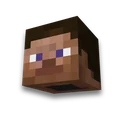
Skin and nickname
Webcam frame and tiles for OBS in the style of the gameLearn more
The webbing frame, the "Stream will soon begin" and the "Shream Break", and the stripe with the nickname, from the windows of the game itself and its typeface. PNG with transparent background 1920×1080 and parts ready for OBS.
My game select version
We'll remember in this browser and set up where your version is available. Open link settings are more important than this choice; the Vicki versions do not change.
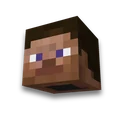
Whose skin
Or your file
The skin's face will appear on the nickname strip and on the tiles. Nick is the title of the page.
Window and scale
Window view
Interface pixel
Webcam frame
Window under the camera
Frame angle
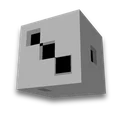
Dies
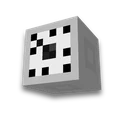
Die
Dice background
Result
Example Steve · Camera 640×360


Piece by piece - PNG with transparent background
Previus is above the menu panorama; the background files are transparent.
How to add an overlay in OBS
- Source "Image"
In OBS Studio: "Sources" → "+" → "Image" → "Browse" → overlay file. The scene canvas is 1920×1080, then the picture will stand up straight.
- Overlay - above the game and the camera
Drag the source to the top of the list: the camera is visible through the transparent window of the frame, the game is visible through the rest.
- Camera out the window
Select the camera source, lock Alt and bring the edges under window 640×360. The "Soon Starts" and the "Breakout" are separate scenes.
What you need to know about overlay
- Windows - from the game. The frame is either a box window or a dark interface window, a stripe with a name is the "New Achievement" patch with the same position as in the game: the face of the skin, the face of yellow, the line is white. The tablet is on the screen to correct the plate. All are client textures that are enlarged by an entire number.
- The font is also from the game. Letters - Minecraft raster font with Cyrillic alphabet, as in chat. The page names characters that are not in the font - they will not appear in the picture.
- Interface pixel. ×4 is like an interface game on a big monitor. The bigger one is thicker and the stripe is longer; if the band doesn't fit next to the camera, it gets upstairs.
- Twitch, YouTube, Kick. An overlay is an image in OBS, not a site setting: it works on any of them, and in Streamlabs too.
The channel header will be collected Channel hat and WC cover, video cover - Time for YouTube, inscription with a picture - The inscription in Minecraft. Looking for where to play on stream - server monitoring.
Frequently asked questions
How to make an overlay for a Minecraft stream?
Select the view of the window, the size of the webframe, and write a nickname — a page that will collect an overlay from the game's texture. download PNG 1920×1080 in whole or in parts, and add an image source to OBS.
How to add an overlay in OBS?
In OBS: Sources → + → Image → select PNG. Place it above the camera and game, and fit the camera under the transparent window of the frame.
Why does the overlay have a transparent background?
Through the transparent, you can see what's down in the OBS: game and camera. The "Soon Starts" caps and the Break can also be collected with the background of the game menu.









 Inscription in Minecraft font


