

Skin with bones for animation
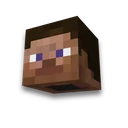
Skin and nickname
Skin, bones, texture and finished modelLearn more
Turn a Minecraft skin into a model with bones for animation: Steve or Alex, second layer and texture. Download GLB and the Blockbench project.
My game select version
We'll remember in this browser and set up where your version is available. Open link settings are more important than this choice; the Vicki versions do not change.
How to use
- Step 1
Configure the settings on the form and click Collect and Show.
- Step 2
Click "Download ZIP" and extract the archive. The installation procedure and the necessary commands are in the README.
- Step 3
Open GLB in Blender or the BBModel project in Blockbench. Body parts have separate bones and retain UV skin.
What you need to know
- Exports a hierarchy of bones for later character animation.
- Open GLB in Blender or the BBModel project in Blockbench. Body parts have separate bones and retain UV skin.
Frequently asked questions
What does this tool create?
Turn a Minecraft skin into a model with bones for animation: Steve or Alex, second layer and texture. Download GLB and the Blockbench project.
How to apply the result?
Open GLB in Blender or the BBModel project in Blockbench. Body parts have separate bones and retain UV skin.

















 3D model of the item