Combine two skins
Skin and nickname
Head, body and clothes from two skinsLearn more
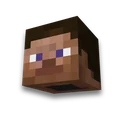
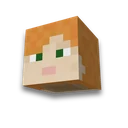
The head is from one skin, the clothes are from another. Each part is carried along with the second layer - the hat, sleeves and jacket.
My game select version
We'll remember in this browser and set up where your version is available. Open link settings are more important than this choice; the Vicki versions do not change.
How to install a ready-made skin
The PNG 64×64 can be downloaded into Java Edition or your Luncher profile. Open .mcpack on the Minecraft Bedrock and select imported character. Details are: How to Screw.
Whole parts of the body, including all edges and the second layer, are carried over. When the arm width changes, the column is removed or duplicated; the specified parts can be corrected to skin editor.
Frequently asked questions
How to combine two Minecraft skins?
Load two PNGs, select the source of each part of the body, and press "Celebrate the skins". PNG 64×64 or Bedrock Pack result.
Is it possible to take the head of one skin and the clothes of another?
Yes. For the head, select skin A, and for the body, arms and legs - B. Each part is transferred with all the edges and the second layer.
Are Alex and 64x32 skins supported?
Yes. The old skin is deployed in 64x64, and the width of the hands is adjusted to the selected result model: Steve or Alex.