
UUID by nickname
Own server
Licensed and offline UUID of the player by nicknameLearn more
One nickname has two UUIDs: the licensed one is issued by Mojang, the offline one is calculated by the game itself on the server with online-mode=false. Confuse them and the whitelist and rights will silently not work. Both are here, in all entries.
My game select version
We'll remember in this browser and set up where your version is available. Open link settings are more important than this choice; the Vicki versions do not change.
Nickname or UUID
Nick is like in a game: Latin, numerals and emphasises, up to 16 characters. UUID can be inserted with or without defaults -- then we'll find a nick.
All entries
A licensed UUID in every record that's found in files and commands.
With hyphens - whitelist.json, LuckPerms, /ban
069a79f4-44e9-4726-a5be-fca90e38aaf5No hyphens - this is Mojang's answer
069a79f444e94726a5befca90e38aaf5Array [I;...] - NBT since 1.16: heads, /data
[I;110787060,1156138790,-1514210135,238594805]UUIDMost and UUIDLeast - NBT before 1.16
UUIDMost:475826800676128550L,UUIDLeast:-6503483008858150155LResult
ExampleNotch
License online-mode=true
069a79f4-44e9-4726-a5be-fca90e38aaf5
Pirate online-mode=false
b50ad385-829d-3141-a216-7e7d7539ba7f
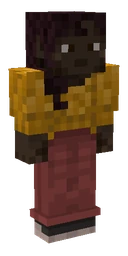
Without your own skin on such a server there will be Makena, thin model (hands 3 px).
Whitelist.json is a license
[
  {
    "uuid": "069a79f4-44e9-4726-a5be-fca90e38aaf5",
    "name": "Notch"
  }
]
How to use
- Find out the server mode
String online-mode in server.properties: true - you need a license UUID, false - offline.
- Write to file or command
whitelist.json and ops.json - entry with hyphens, nickname next to it. LuckPerms understands both UUID and nickname: /lp user <UUID> …
- Reload the list
The file, corrected by hand, is reread by the server /whitelist reload - no restart needed.
What you need to know about UUID
- The license UUID does not change when you change your nickname. That’s why plugins store players by UUID: if you change your nickname, your rights, houses and balance remain.
- The offline UUID depends entirely on the nickname. This is MD5 from the line "OfflinePlayer:" and nickname, up to case: Steve and steve on the pirate server - two different players.
- The version can be seen from the first digit of the third group. 4 - license, random UUID from Mojang; 3 - offline, counted from nickname. Nickname by UUID is searched only for the license.
- They changed the online-mode - players will “lose” everything. With a different mode, they have different UUIDs: inventories, rights and houses will remain under the old ones.
- In NBT since 1.16, UUID is an array of four numbers. Record [I;…] is needed by the heads, /data and entities; before 1.16 - two halves UUIDMost and UUIDLeast.
- The standard skin is also selected by UUID. Therefore, one nickname on a license and on a pirate can have a different character - more details in Standard skins.
We remember Mojang's answer for ten minutes. The player's head for /give will be collected Head generator, nickname will come up nickname generator.
Frequently asked questions
How to find out the UUID of a Minecraft player by nickname?
Write a nick: the license UUID gives Mojang, and offline is considered to be the game formula. On the server with online mode=false, the player goes under offline, and on line is under licence.
Why does the whitelist not allow the player on the pirate server?
It's more likely that there's a licensed UUID in the Whitelist.json, and an online-mode server knows an offline player. For such a server, you need an offline UUD of the same nick.
Is it possible to find out a nickname by UUID?
Only for a licensed account - it has a UUID of version 4. The offline UUID of version 3 is a hash of the nickname, and the nickname cannot be restored from it.

































































 Player Head
 Nickname generator