
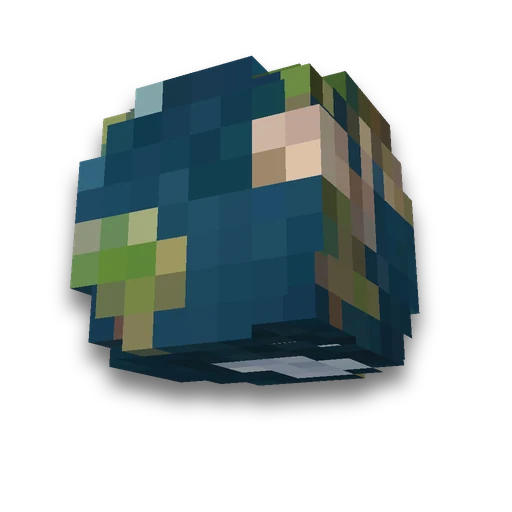
Your own dimension
Own server
New world near Nether and EndLearn more
Add a new world to the game next to normal, Neser and End: topography, light, sky, height, bed and anchor to choose. Get a date pack with an entry command and /trigger for players without operator rights.
My game select version
We'll remember in this browser and set up where your version is available. Open link settings are more important than this choice; the Vicki versions do not change.
How to use
- Server
Put the zip in a folder world/datapacks and restart the server: a new dimension appears on startup, /reload will not add it. There is no need to recreate the world.
- Single player
New World: Create New World → Miscellaneous → Datasets → Drag zip. Ready world: put zip in saves/<world>/datapacks and rediscover the world.
- Login
Operator - /function custom:dream/go, players - /trigger custom.dream; back - /trigger custom.dream set 2, to the place where they left.
What you need to know
- Verified by server. The package downloaded the selected servers 26.3 and 1.21.11: the world of the height chosen, the entrance and return are working. The player entered on 26.3 via /trigger and the bed, anchor and portal behaved as selected.
- The recording is different for the versions. In 1.21.11 the Neser bed explodes by expodes, in 26.3 by Destroy_on_use, and 26.3 have mandatory fields that are not available in 1.21.11. The version is therefore selected and the game file of this version is based.
- Nether Portal from its dimension leads to Neser, and the coordinates are divided by scale: at 1:8 as in Neser - one to one. Neser's portal leads back to the normal world.
- Height less than relief cuts off mountains and caves, and ores outside the height are skipped - the server will warn about this in the log with the line Empty height range. This is not a mistake.
- There is no dragon. With the "End" base, there will be islands, and the fight with the dragon will only happen in the real End.
What is the difference between the ordinary world, Nether and End - on the wiki "measurements". Remake the ordinary world itself into one biome - The World of One Bioma, edit world files manually - NBT editor.
Frequently asked questions
How to add your own dimension to Minecraft?
Datapack: It contains the type of measurement and the world itself. Put the archive in the world/datapacks folder and restart the server; it will also appear in the already created world.
How to get into your dimension?
By command / function space: name/go – it transports there via execute in. Players without operator rights – /trigger space.name, backwards – /trigger space.name set 2.
Why didn't the dimension appear?
A new dimension of the game adds when launched: once a package is put in place, restart the server or re-open the world -- /reload will not add it. The version of the package should coincide with the game version.

































































 /execute constructor
 /tp generator