
Minecraft floor pattern generator
Building
Terracotta and parquet floor plans and commandsLearn more
Create glazed terracotta tiles or wooden parquet floors. Choose a pattern and blocks to preview the layout, check each block's orientation, and download commands, schematics, or a data pack.
My Game select version
Save your preferences in this browser and apply them to supported tools. Settings in a shared link take priority. Wiki version labels are not affected.
What
Pattern
2 × 2 tile — click a block to rotate it
-
 facing north
-
facing east
-
facing west
-
facing south
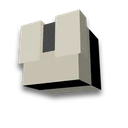
Terracotta places the pattern toward you: the label indicates which direction to face when placing the block. North is on top.
Result
Example · Spinning · 8 × 8
- Scale
- 8 × 8
- Blocks
- 64
Place a data pack
/place template juxmc:floor ~ ~-1 ~Or use commands — one at a time, without leaving position
/setblock ~ ~-1 ~ minecraft:light_blue_glazed_terracotta[facing=south]/setblock ~1 ~-1 ~ minecraft:light_blue_glazed_terracotta[facing=west]/setblock ~ ~-1 ~1 minecraft:light_blue_glazed_terracotta[facing=east]/setblock ~1 ~-1 ~1 minecraft:light_blue_glazed_terracotta[facing=north]/clone ~ ~-1 ~ ~1 ~-1 ~1 ~2 ~-1 ~/clone ~ ~-1 ~ ~3 ~-1 ~1 ~4 ~-1 ~/clone ~ ~-1 ~ ~7 ~-1 ~1 ~ ~-1 ~2/clone ~ ~-1 ~ ~7 ~-1 ~3 ~ ~-1 ~4What you'll need
-
 Light Blue Glazed Terracotta
64 · 1 stack
How to place flooring
- Stand in the northwest corner
The floor will place a block below your feet: 8 blocks east (+X) and 8 blocks south (+Z). The direction is visible in F3 under the 'Facing' line.
- A data pack — with one command
Place the archive in world/datapacks, then /reload and /place template juxmc:floor ~ ~-1 ~.
- Using commands or a schematic
Commands build the tile and copy it /clone — enter them in order and stay in place. The pattern is for Litematica or WorldEdit (//schem load).
What to know about floor patterns
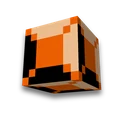
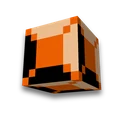
- Terracotta rotates to face you. Glazed Terracotta (in the Russian version of the game — 'glazed ceramics') faces the direction from which it was placed: when facing north, you place the block with the pattern facing south. Therefore, one block produces four different patterns, and a 2×2 tile gives a rotating pattern, rows, or checkerboard.
- Pattern — from game files. The rotations on the image match those in client blockstate 26.3: a block facing south lies flat, facing west is a quarter turn clockwise, facing north is half a turn, facing east is three-quarters of a turn.
- Logs without bark are smoother. Stripped logs show the wood grain without bark, making them useful for herringbone and woven floors. Their axis follows the face you place them against.
- Data pack and template — for 26.3. The template is saved with both new and old names — it works in 1.21.11. Litematica and WorldEdit schematics are opened via mods.
Choose floor colors to help block palette, smooth transition — block gradient image on the floor — pixel art. How to get a block — in the wiki: Light Blue Glazed Terracotta.
Frequently asked questions
How to make a beautiful floor in Minecraft?
Use glazed terracotta's four orientations to make 2×2 pinwheels, rows, or checkerboard patterns. For wooden floors, try herringbone or woven layouts.
How to rotate glazed terracotta?
Terracotta places the pattern toward the player: when facing north, you place the block with the pattern facing south. To rotate the block, stand on the opposite side.
How do I build a floor pattern with commands?
Stand in the northwest corner and enter commands in order: they place blocks with /setblock and copy them with /clone. Or download a data pack and place the entire section with one /place command.






























 Minecraft /fill, /clone and /setblock generator
