
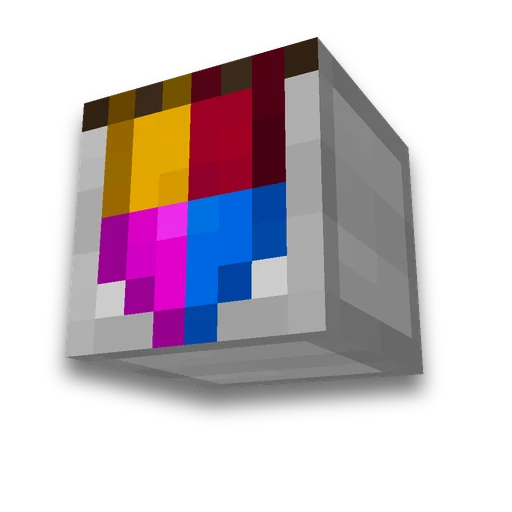
Minecraft banner generator
Items
Design banners with up to six patternsLearn more
Build the design as you would in a loom: choose the base color, then add pattern layers and dyes. The preview uses Minecraft's textures, and the command /give It is issued ready-made.
My Game select version
Save your preferences in this browser and apply them to supported tools. Settings in a shared link take priority. Wiki version labels are not affected.
Already have a command? Paste it to fill in the form
Pre-made drawing


Fabric color
Dye and pattern
- Dye: White
- Dye: Orange
- Dye: Magenta
- Dye: Light Blue
- Dye: Yellow
- Dye: Lime
- Dye: Pink
- Dye: Gray
- Dye: Light Gray
- Dye: Cyan
- Dye: Purple
- Dye: Blue
- Dye: Brown
- Dye: Green
- Dye: Red
- Dye: Black
-
 Add pattern: Base Dexter Canton (White)
-
 Add pattern: Base Sinister Canton (White)
-
 Add pattern: Chief Dexter Canton (White)
-
 Add pattern: Chief Sinister Canton (White)
-
 Add pattern: Base (White)
-
 Add pattern: Chief (White)
-
 Add pattern: Pale Dexter (White)
-
 Add pattern: Pale Sinister (White)
-
 Add pattern: Pale (White)
-
 Add pattern: Fess (White)
-
 Add pattern: Bend (White)
-
 Add pattern: Bend Sinister (White)
-
 Add pattern: Paly (White)
-
 Add pattern: Saltire (White)
-
 Add pattern: Cross (White)
-
 Add pattern: Chevron (White)
-
 Add pattern: Inverted Chevron (White)
-
 Add pattern: Base Indented (White)
-
 Add pattern: Chief Indented (White)
-
 Add pattern: Per Bend Sinister (White)
-
 Add pattern: Per Bend Sinister Inverted (White)
-
 Add pattern: Per Bend Inverted (White)
-
 Add pattern: Per Bend (White)
-
 Add pattern: Roundel (White)
-
 Add pattern: Lozenge (White)
-
 Add pattern: Per Pale (White)
-
 Add pattern: Per Fess (White)
-
 Add pattern: Per Pale Inverted (White)
-
 Add pattern: Per Fess Inverted (White)
-
 Add pattern: Bordure (White)
-
 Add pattern: Toothed border (White), requires pattern item
-
 Add pattern: Gradient (White)
-
 Add pattern: Base Gradient (White)
-
 Add pattern: Mural (White), requires pattern item
-
 Add trim: Globe (White), requires trim item
-
 Add pattern: Creeper (White), requires pattern item
-
 Add pattern: Skeleton Skull (White), requires pattern item
-
 Add pattern: Flower (White), requires pattern item
-
 Add pattern: Something (White), requires pattern item
-
 Add pattern: Rook (White), requires pattern item
-
 Add pattern: Flow (White), requires pattern item
-
 Add trim: Breeze (White), requires trim item
A dot in the corner — each pattern requires a separate item in the loom.
Layers — 1 of 6
Remove all patternsIn a loom, special patterns such as Creeper require the matching banner pattern item. A command can create the banner without it.
How to build in survival mode
- Flag: lime 6 lime wool and 1 stick in a crafting table.
- Layer 1: creeper Place the banner and black dye in a loom. You also need the Creeper Charge banner pattern item.
What to carry with you
- 6 pcs lime wool
- 1 piece Stick
- 1 piece dye (black)
- 1 piece Creeper Charge Banner Pattern
Result
Minecraft /give Command
Command — 93 of 256
/give @p minecraft:lime_banner[banner_patterns=[{pattern:"minecraft:creeper",color:"black"}]]How to use the result
- Enable commands
Enable cheats in single-player or use operator permissions on a server; otherwise
/givewill not execute. - Paste into chat
T, then Ctrl+V and press Enter. Use a command block for commands longer than 256 characters; chat cannot send them.
- Or build by hand
No operator permissions — by the recipe 'How to craft in survival': steps in the same order as layers.
What to know about a patterned flag
- Flags and banners are the same item. Until version 1.13, it was called a banner in the game, and it's still called that in-game and by command (
white_banner), although Russian guides may use different names for the same item. Its pattern can also be applied to a shield. - Patterns are applied in the loom. Place a banner and dye in a loom, plus a pattern item when required. Select a design to apply it. Before 1.14, banner patterns were crafted using up to eight dyes per layer.
- No more than six patterns. The loom refuses a seventh layer. Commands can exceed that limit, but this tool stays within designs craftable in Survival mode.
- Order matters. Each new layer covers parts of the layers beneath it. Changing the pattern order changes the final banner.
- Ten patterns require a separate item — Creeper Charge, Skull Charge, Flower Charge, Thing, Globe, Snout, Field Masoned, Bordure Indented, Flow, and Guster. Pattern items are reusable and marked with a dot in the preview. The other thirty-two patterns need only dye.
- Pre-made flag is copied. Craft the patterned banner with a blank banner of the same base color to copy its design while keeping the original. The design can also be applied to a shield.
- The drawing erases in the cauldron. with water—layer by layer, top to bottom. If you make a mistake on the fifth layer, don't redo the entire flag.
- Item syntax changed in 1.20.5. The firework rocket was stored in an NBT (
BlockEntityTagAfter that — in the componentbanner_patterns. The wrong format can produce a blank banner without a useful warning, so select the correct game version. - Fabric color in item name (
lime_banner) rather than its pattern data. To change the base color, start with a new banner of the desired color.
This same pattern is transferred to a shield — shield generator It collects it the same way and issues a command for the shield.
Frequently asked questions
How is a flag different from a banner in Minecraft?
They refer to the same item: a banner. Apply patterns with a loom or a command.
How many patterns can be applied to one flag?
A loom supports six pattern layers. Commands can add more, but those designs cannot be crafted in Survival mode.
How to remove the pattern from a flag?
Use the banner on a cauldron containing water to remove its top pattern layer. To duplicate a design, craft it with a blank banner of the same base color.






 Minecraft server banner maker
 Minecraft /give generator
