
On page 18 sections
Briefly
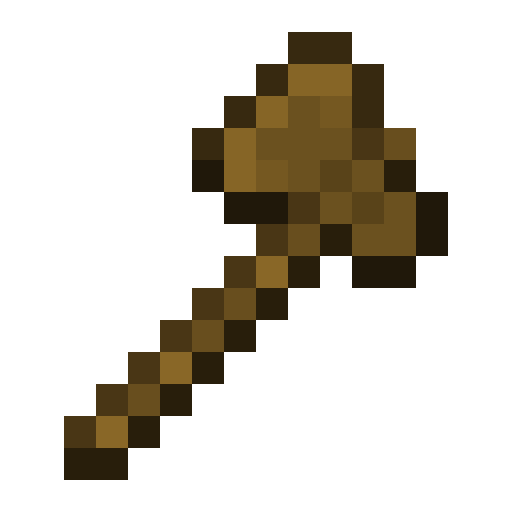
Ax //wand → two dots → //set, //replace or //copy
-
Take the selection ax
//wand -
Fill selection with stone
//set stone -
Replace earth with stone
//replace dirt stone -
Copy selection
//copy -
Paste copied
//paste -
Undo last
//undo
In syntax <…> is mandatory, […] can be omitted, | - one of.
Found: 188
-
/worldeditThe main command of the plugin: help, version, reload settings and report.
/worldedit <help|version|trace|reload|cui|tz|report> -
/worldedit helpWorldEdit Command Help: List or details about a single command.
/worldedit help [-s] [-p <page>] [command...] -
/worldedit versionShows the version of WorldEdit.
/worldedit version -
/worldedit traceEnables and disables debug tracing of edits - to find who is stopping you from changing blocks.
/worldedit trace [hookMode] -
/worldedit reloadRereads the settings file without restarting the server.
/worldedit reload -
/worldedit cuiUtility: connection with the WorldEditCUI mod, which draws the selection. No need to do it manually.
/worldedit cui -
/worldedit tzSets your time zone - it is used to search for images of the world by date.
/worldedit tz <timezone> -
/worldedit reportCollects a report about the server and WorldEdit settings - for developers if something is broken.
/worldedit report [-p] -
/undoUndoes the last action. You can undo several steps at once or an edit from another player.
/undo [times] [player] -
/redoReturns the canceled action.
/redo [times] [player] -
/clearhistoryClears your edit history, making it impossible to undo old actions.
/clearhistory -
//limitHow many blocks can be changed with one command - protection against accidental huge edits.
//limit [limit] -
//timeoutTime limit for calculating formulas in //generate and //deform.
//timeout [limit] -
//fastFast editing mode: fewer block updates, light and adjacent blocks may not be updated.
//fast [fastMode] -
//perfTurns edit side effects on and off - light, physics, neighbor updates - for the sake of speed.
//perf [-h] [sideEffect] [newState] -
//reorderThe order in which WorldEdit places blocks when editing.
//reorder [reorderMode] -
//drawselEnables display of the current selection with a frame directly in the game.
//drawsel [drawSelection] -
//worldThe world in which commands are executed, instead of the current one.
//world [world] -
//watchdogHow a long edit behaves with a server guard looking for hangs.
//watchdog [hookMode] -
/gmaskGlobal mask: all edits change only the blocks that fit it.
/gmask [mask] -
/toggleplaceWhere the shapes are drawn from: from you or from the first selection point.
/toggleplace -
/placementReference point for shapes and insertion: you, selection point and others.
/placement <placementType> [multiplier] [offset] -
/searchitemSearches for a block or item by name and shows its ID.
/searchitem [-bi] [-p <page>] <query...> -
//registrySearch the game registry: blocks, items, biomes and more.
//registry <registry> [-p <page>] [queryBits...]
-
//posPlaces selection points according to coordinates.
//pos [pos1] [pos2...] [-s <selectorChoice>] -
//pos1The first selection point is where you are standing, or by coordinates.
//pos1 [coordinates] -
//pos2The second point of selection is where you are standing, or by coordinates.
//pos2 [coordinates] -
//hpos1The first point of emphasis is on the block you are looking at.
//hpos1 -
//hpos2The second highlight point is on the block you are looking at.
//hpos2 -
//chunkSelects the entire chunk in which you are standing.
//chunk [-cs] [coordinates] -
//wandProduces a selection tool - a Wooden Axe: the left mouse button places the first point, the right mouse button places the second.
//wand [-n] -
/toggleeditwandReminds you that the selection ax is now a regular tool: it can be removed with the /tool none command.
/toggleeditwand -
//contractReduces emphasis in the direction of view or in the specified direction.
//contract <amount> [reverseAmount] [direction] -
//shiftShifts the entire selection without touching the blocks.
//shift <amount> [direction] -
//outsetExpands the selection in all directions.
//outset [-hv] <amount> -
//insetNarrows the selection from all sides.
//inset [-hv] <amount> -
//trimShrinks the selection to blocks that fit the mask.
//trim [mask] -
//sizeDimensions and volume of selection.
//size [-c] -
//countCounts blocks in the selection that match the mask.
//count <mask> -
//distrWhat blocks does the selection consist of and how many of each?
//distr [-cd] [-p <page>] [-m <sourceMask>] -
//selSelection shape: cube, polygon, ellipse, sphere and others; without an argument, deselects the selection.
//sel [-d] [selectorChoiceOrList] -
//expandExpands the selection in the direction of view or in the specified direction.
//expand <vert|<amount> [reverseAmount] [direction]> -
//expand vertStretches the selection in height from the bottom to the top of the world.
//expand vert
-
//setFills the entire selection with a block or a mixture of blocks.
//set <pattern> -
//lineA line of blocks between the corners of the selection.
//line [-h] <pattern> [thickness] -
//curveSmooth curve through selection points.
//curve [-h] <pattern> [thickness] -
//replaceReplaces some blocks in a selection with others; without the first block - everything except air.
//replace [from] <to> -
//overlayPlaces a layer of blocks on top of everything in the selection.
//overlay <pattern> -
//centerPlaces the block in the center of the selection.
//center <pattern> -
//naturalizeMakes the ground natural: three layers of earth on top, stone below.
//naturalize -
//wallsBuilds four walls along the edges of the selection.
//walls <pattern> -
//facesConstructs a box: walls, floor and ceiling along the boundaries of the selection.
//faces <pattern> -
//smoothSmoothes the relief in the selection.
//smooth [iterations] [mask] -
//snowsmoothSmoothes the terrain with layers of snow.
//snowsmooth [iterations] [-l <snowBlockCount>] [-m <mask>] -
//moveMoves the contents of the selection by a specified distance.
//move [-abes] [multiplier] [offset] [replace] [-m <mask>] -
//stackRepeats the contents of the selection several times in a row.
//stack [-abers] [count] [offset] [-m <mask>] -
//regenGenerates the selected area again, as in a new world.
//regen [-bc] [seed] -
//deformDistorts an area using a mathematical formula.
//deform [-clor] <expression...> -
//hollowMakes the building in the selection hollow inside.
//hollow [thickness] [pattern] -
//forestPlants a forest in the selection.
//forest [type] [density] -
//floraPlants grass and flowers in the selection.
//flora [density] -
//updateApplies block updates to the selection: lights, neighbors, etc.
//update [sideEffectSet]
-
//hcylBuilds a hollow cylinder.
//hcyl <pattern> <radii> [height] -
//cylBuilds a solid cylinder.
//cyl [-h] <pattern> <radii> [height] -
//coneBuilds a cone.
//cone [-h] <pattern> <radii> [height] [thickness] -
//hsphereConstructs a hollow sphere.
//hsphere [-r] <pattern> <radii> -
//sphereConstructs a solid sphere.
//sphere [-hr] <pattern> <radii> -
/forestgenCreates a forest around you.
/forestgen [size] [type] [density] -
/pumpkinsPlants pumpkins around you.
/pumpkins [size] -
//featurePlaces an object from the world generation: tree, boulder and others.
//feature <feature> -
//structurePlaces a building from the world generation: a village, a temple, and others.
//structure <feature> -
//hpyramidBuilds a hollow pyramid.
//hpyramid <pattern> <size> -
//pyramidBuilds a solid pyramid.
//pyramid [-h] <pattern> <size> -
//generateConstructs a figure using a mathematical formula.
//generate [-chor] <pattern> <expression...> -
//generatebiomeChanges the biome in the selection according to the formula.
//generatebiome [-chor] <target> <expression...>
-
/schematicSchematics are buildings saved in files.
/schematic <list|formats|load|delete|save|share> -
/schematic listList of saved schematics.
/schematic list [-dn] [-p <page>] -
/schematic formatsList of schematic file formats.
/schematic formats -
/schematic loadLoads the schematic into the buffer; then it is inserted with the command //paste.
/schematic load <schematic> [format] -
/schematic deleteDeletes a saved schematic.
/schematic delete <schematic> -
/schematic saveSaves the buffer to a schematic file.
/schematic save [-f] <filename> [format] -
/schematic sharePosts the buffer as a schematic on the network and gives a link.
/schematic share [schematicName] [destination] [format] -
//copyCopies the selection to the clipboard. The place where you stand will become the insertion point.
//copy [-be] [-m <mask>] -
//cutCuts the selection into the buffer, leaving air in its place.
//cut [-be] [leavePattern] [-m <mask>] -
//pasteInserts a buffer relative to where you are standing.
//paste [-abenosv] [-m <sourceMask>] -
//rotateRotates the contents of the buffer, typically by 90, 180, or 270°.
//rotate <rotateY> [rotateX] [rotateZ] -
//flipReflects the buffer in a mirror manner - in the direction of view or in the specified direction.
//flip [direction] -
/clearclipboardClears the buffer.
/clearclipboard -
//revolveRepeats the selection in a circle around the vertical axis.
//revolve [-ber] <pasteCount> [-m <mask>]
-
/toolBinds a tool to an item in your hand.
/tool <cycler|repl|farwand|floodfill|deltree|stacker|selwand|tree|none|info|lrbuild|navwand> -
/tool cyclerClicking on a block cycles through its states: rotation, color, and others.
/tool cycler -
/tool replClick replaces the block with the specified one.
/tool repl <pattern> -
/tool farwandDistance highlighting: places dots where you are looking.
/tool farwand -
/tool floodfillFill: Fills connected blocks of the same type with a given block.
/tool floodfill <pattern> <range> -
/tool deltreeClick to remove a tree hanging in the air.
/tool deltree -
/tool stackerThe click repeats the block in the direction of the gaze.
/tool stacker [range] [mask] -
/tool selwandThe object in the hand becomes a selection tool.
/tool selwand -
/tool treeKlik plants a tree.
/tool tree [type] -
/tool noneUnties a tool from an item in the hand.
/tool none -
/tool infoClick shows information about the block.
/tool info -
/tool lrbuildConstruction at a distance: the left button places one block, the right button another.
/tool lrbuild <primary> <secondary> -
/tool navwandAn item in your hand becomes a compass: click - towards the block you are looking at, or through a wall.
/tool navwand -
/noneShort form /tool none: Unties a tool from an item in the hand.
/none -
/selwandShort form of /tool selwand: The item in the hand becomes a selection tool.
/selwand -
/navwandShort form /tool navwand: the item in the hand becomes a movement compass.
/navwand -
/infoShort form /tool info: click shows information about the block.
/info -
/treeShort form /tool tree: click plants a tree.
/tree [type] -
/replShort form /tool repl: click replaces the block with the specified one.
/repl <pattern> -
/cyclerShort form /tool cycler: click cycles through the states of the block.
/cycler -
/floodfillShort form /tool floodfill: fills connected blocks.
/floodfill <pattern> <range> -
/deltreeShort form /tool deltree: click deletes a hanging tree.
/deltree -
/farwandShort form /tool farwand: selection from a distance.
/farwand -
/lrbuildShort form /tool lrbuild: build at a distance.
/lrbuild <primary> <secondary> -
//Turns the super pickaxe on and off - it breaks blocks with one hit.
// [superPickaxe] -
/maskBrush Mask: The brush only changes matching blocks.
/mask [mask] -
/materialA block used to draw with a brush.
/material <pattern> -
/rangeThe range at which the brush works.
/range <range> -
/sizeBrush size.
/size <size> -
/tracemaskWhere the beam of the tool stops - for example, so that a brush passes through water.
/tracemask [mask]
-
/superpickaxeSuper pickaxe modes.
/superpickaxe <single|area|recursive> -
/superpickaxe singleThe super pickaxe breaks one block with one hit.
/superpickaxe single -
/superpickaxe areaThe super pickaxe breaks the area around the block.
/superpickaxe area <range> -
/superpickaxe recursiveThe Super Pickaxe breaks all connected blocks of the same type.
/superpickaxe recursive <range>
-
/brushBrushes: draw, sculpt and paint the world from a distance.
/brush <forest|splatter|butcher|paint|none|clipboard|snowsmooth|gravity|heightmap|extinguish|feature|sphere|raise|smooth|cylinder|set|apply|deform|lower|erode|dilate|snow|biome|morph> -
/brush forestThe brush plants the forest.
/brush forest <shape> [radius] [density] <type> -
/brush splatterThe brush scatters the blocks in an uneven pattern.
/brush splatter <pattern> [radius] [decay] -
/brush butcherThe brush kills mobs in a radius.
/brush butcher [-abfgnprtw] [radius] -
/brush paintThe brush applies an action to a surface: a forest, an object, or a block.
/brush paint <shape> [radius] [density] <forest|item|set> -
/brush noneUnties the hand from the object in the hand.
/brush none -
/brush clipboardThe brush places the contents of the buffer where you are looking.
/brush clipboard [-abeov] [-m <sourceMask>] -
/brush snowsmoothThe brush smoothes the terrain with layers of snow.
/brush snowsmooth [radius] [iterations] [-l <snowBlockCount>] [-m <mask>] -
/brush gravityThe brush drops blocks downwards, as if under the influence of gravity.
/brush gravity [radius] [-h <height>] -
/brush heightmapThe brush raises or lowers the relief according to the image-height map.
/brush heightmap [-efr] <imageName> [radius] [intensity] -
/brush extinguishThe brush puts out the fire.
/brush extinguish [radius] -
/brush featureThe brush places objects from the world generation: trees, flowers and others.
/brush feature <shape> [radius] [density] <type> -
/brush sphereThe brush places a ball of blocks.
/brush sphere [-h] <pattern> [radius] -
/brush raiseThe brush raises the relief onto the block.
/brush raise <shape> [radius] -
/brush smoothThe brush smoothes the relief.
/brush smooth [radius] [iterations] [mask] -
/brush cylinderThe brush places a cylinder of blocks.
/brush cylinder [-h] <pattern> [radius] [height] -
/brush setThe brush fills an area with a block.
/brush set <shape> [radius] <pattern> -
/brush applyThe brush applies an action to each block of the area.
/brush apply <shape> [radius] <forest|item|set> -
/brush deformThe brush distorts the area according to the formula.
/brush deform [-or] <shape> [radius] [expression] -
/brush lowerThe brush lowers the relief onto the block.
/brush lower <shape> [radius] -
/brush erodeThe brush corrodes the relief: it cuts off the protrusions.
/brush erode [brushSize] -
/brush dilateThe brush increases the relief: fills the depressions.
/brush dilate [brushSize] -
/brush snowA brush pours snow.
/brush snow [-s] <shape> [radius] -
/brush biomeThe brush changes the biome.
/brush biome [-c] <shape> [radius] <biomeType> -
/brush morphSculpting brush: erodes and builds texture with fine tuning.
/brush morph [brushSize] [minErodeFaces] [numErodeIterations] [minDilateFaces] [numDilateIterations]
-
/biomelistList of all biomes.
/biomelist [-p <page>] -
/biomeinfoThe biome of the block you are looking at.
/biomeinfo [-pt] -
//setbiomeChanges the biome in the selection or underfoot.
//setbiome [-p] <target> -
//replacebiomeReplaces one biome with another in the selection.
//replacebiome [-p] <from> <target>
-
/chunkinfoInformation about the chunk in which you are located.
/chunkinfo -
/listchunksList of chunks affected by the selection.
/listchunks [-p <page>] -
/delchunksMarks allocation chunks for deletion: when the server is restarted, they will be generated again.
/delchunks [-o <beforeTime>]
-
/restoreRestores a selection from a snapshot - a backup copy of the world.
/restore [snapshot] -
/snapshotWorld snapshots are backup copies from which an area is restored.
/snapshot <before|use|sel|after|list> -
/snapshot beforeSelects the closest photo to the date.
/snapshot before <date> -
/snapshot useSelects a picture by name.
/snapshot use <name> -
/snapshot selSelects a picture by number from the list.
/snapshot sel <index> -
/snapshot afterSelects the closest picture after the date.
/snapshot after <date> -
/snapshot listList of pictures.
/snapshot list [-p <page>]
-
/csRuns the CraftScript script.
/cs <filename> [args...] -
/.sRepeats the last running script.
/.s [args...]
-
//fillFills the hole with a block.
//fill <pattern> <radius> [depth] -
//fillrFills the entire pit, along with the side passages.
//fillr <pattern> <radius> [depth] -
//drainDrains water or lava around.
//drain [-w] <radius> -
/fixlavaMakes the flowing lava around it motionless.
/fixlava <radius> -
/fixwaterMakes the flowing water around you still.
/fixwater <radius> -
/removeaboveRemoves blocks overhead.
/removeabove [size] [height] -
/removebelowRemoves blocks underfoot.
/removebelow [size] [height] -
/removenearRemoves blocks around that fit the mask.
/removenear <mask> [radius] -
/replacenearReplaces blocks around you.
/replacenear <radius> [from] <to> -
/snowCovers the area with snow.
/snow [-s] [size] [height] -
/thawMelts snow and ice.
/thaw [size] [height] -
/greenTurns the ground into grass.
/green [-f] [size] [height] -
/extinguishPuts out the fire around.
/extinguish [radius] -
/butcherKills mobs around or throughout the world.
/butcher [-abfgnprtw] [radius] -
/removeRemoves entities of one type: arrows, trolleys, dropped items and others.
/remove <remover> <radius> -
//calculateCalculates a mathematical expression.
//calculate <input...> -
//helpHelp with WorldEdit commands.
//help [-s] [-p <page>] [command...]
Syntax, rights and aliases - from WorldEdit documentation.
How to select an area in WorldEdit?
Take the Wooden Axe with the command //wand: left mouse button puts the first point, right is the second. Without the axe, stand in one corner and dial //pos1, then opposite - / //pos2.
What permissions are needed for WorldEdit commands?
WorldEdit operators are fully available if it is not switched off in its settings. Other rights are given to plagin rights, such as LukePerms: each command has its own right; it is written under the command.
Why do WorldEdit commands have two slashes?
So WorldEdit separates its commands from the same name: //fill is the WorldEdite command, and /fill is vanilla command. Part of the command also works with the same tag: /undo and //undo are the same.
- EscentialsX Commands
- LockPerms Commands
- Core Protect Commands
- WorldGuard Commands
- GriefPrevention Commands
- AuthMe Commands
- Citizens Commands
- Multiverse-Core Commands
- PlacholderAPI Commands
- TAB Commands
- mcMMO Commands
- PlotSquared Commands
- Jobs Reborn Commands
- SkinsRestorer Commands
- DecentHolograms Commands
- Geyser Commands
- Discord SRV Commands
- ViaVersion Commands
- Spark Commands
- Skript Commands
- Chunky Commands
- AdvancedBan Commands
- How to install plugins
All plugins About the plugin WorldEditWorldGuard Region
Reconciled with WorldEdit documentation 29 October 2026; explanations in Russian - by the editors of JuxMC.