
On this page 5 sections
At a glance
Wolf's main sound — "Wolf howls"
-
Wolf barks
/playsound minecraft:entity.wolf.ambient master @a
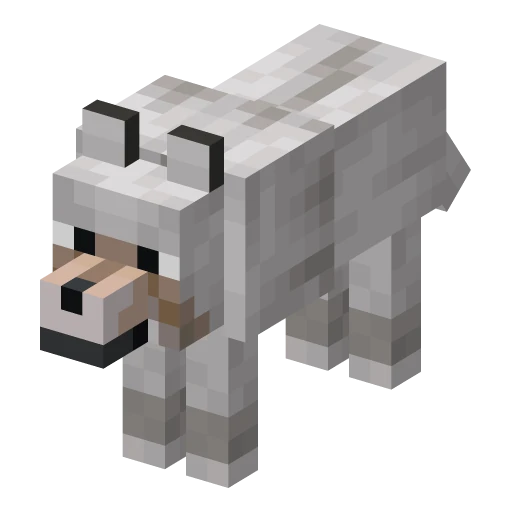
Wolf's main sound — "Wolf howls", in-game event entity.wolf.ambient. Below are all the Wolf sounds: play them with the ▶ button and download the .ogg file. Other game sounds are on the page. «Sounds of Minecraft».
| Sound | Listen | File and command |
|---|---|---|
Wolf barksentity.wolf.ambientWolf in the wiki | Download .ogg0.33 s · 6 KB · variant 1 of 3Minecraft /playsound Command | |
Wolf growlsentity.wolf.growlWolf in the wiki | Download .ogg1.98 s · 14 KB · variant 1 of 3Minecraft /playsound Command | |
Wolf howlsentity.wolf.whineWolf in the wiki | Download .ogg0.74 s · 10 KBMinecraft /playsound Command | |
Wolf shakes offentity.wolf.shakeWolf in the wiki | Download .ogg1.48 s · 16 KBMinecraft /playsound Command | |
Wolf is hurtentity.wolf.hurtWolf in the wiki | Download .ogg0.37 s · 7 KB · variant 1 of 3Minecraft /playsound Command |
Where it appears, how much health it has, and what drops — on the page «Wolf».
- With the command.
/playsound minecraft:entity.wolf.ambient master @aThe Wolf howls to all players. Volume, pitch, and 'heard everywhere' are collected. generator /playsound. - Custom sound file instead of the game's default sound. Resource pack with your .ogg generator Own sounds.
- Check hearing. In the quiz "Guess the block, mob, item, or sound" select 'Sounds'.
What sounds does the Wolf have in Minecraft?
Here are 5 wolf sounds from the game: "Wolf barks", "Wolf howls", "Wolf whines", "Wolf shakes off", "Wolf is hurt." Each can be heard and downloaded as an .ogg file.
How to enable the Wolf's sound with a command?
Using the /playsound command with a sound ID, for example /playsound minecraft:entity.wolf.ambient master @a — this is 'Wolf howls'. IDs for other sounds are in the table.
Why does the Wolf's sound change slightly each time?
A sound can have multiple files, and the game selects one at random: for 'Wolf Barks' there are 3. For each sound, the game uses the first file in the list.
- All Minecraft sounds
- Steve's sounds
- Creeper Sounds in Minecraft
- Enderman Sounds in Minecraft
- Villager Sounds in Minecraft
- Ghast Sounds in Minecraft
- Zombie Sounds in Minecraft
- Warden sounds
- Skeleton Sounds in Minecraft
- Spider Sounds in Minecraft
- Ender Dragon Sounds in Minecraft
- Wither Sounds in Minecraft
- Iron Golem Sounds in Minecraft
- Chicken Sounds in Minecraft
- Cow Sounds in Minecraft
- Pig Sounds in Minecraft
- Sheep Sounds in Minecraft
- Cat Sounds in Minecraft
Sounds, names, and lengths — from Minecraft 26.3 files: list of game sounds, Russian subtitles, and the .ogg files themselves.