

On this page 6 sections
At a glance
Chat command — below
-
Camera F5 twice as far
/attribute @s minecraft:camera_distance base set 8 -
Return to how it was
/attribute @s minecraft:camera_distance base reset -
Check your value
/attribute @s minecraft:camera_distance get
By default 4, the player's 4; the game accepts values from 0 to 32.
How far is the camera from a third-person view (F5) of an entity: 4 blocks from the player. 16 blocks from dragons and giants, 8 blocks from ghasts — the camera moves farther when you're sitting on such an entity.
Distance is multiplied by size (scale attribute): for a giant player, the camera moves farther away.
| Mob | Base |
|---|---|
 Ghast | 8 |
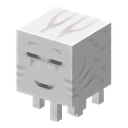 Happy Ghast | 8 |
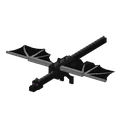 Ender Dragon | 16 |
Here only mobs with a base different from default (4).
| What | Value |
|---|---|
| ID | minecraft:camera_distance |
| By default | 4 |
| For the player | 4 |
| Borders | from 0 to 32 |
| What is measured | blocks |
| Sees the client | yes |
| Name in the English game | Camera Distance |
What does the camera_distance attribute do?
How far is the camera from a third-person view (F5) of an entity: 4 blocks from the player. 16 blocks from dragons and giants, 8 blocks from ghasts — the camera moves farther when you're sitting on such an entity.
How to change the camera distance with a command?
/attribute @s minecraft:camera_distance base set <value> — for example, 8. Reset to default: /attribute @s minecraft:camera_distance base reset. Requires operator permissions or cheats.
What are the bounds of camera_distance?
Default: 4. Accepted range: 0 to 32. The command cannot set a value outside this range.
All attributes Minecraft /attribute Command
Data from Minecraft 26.3: Values, boundaries, and who changes them — from game code and game enchantment files.