
On this page 7 sections
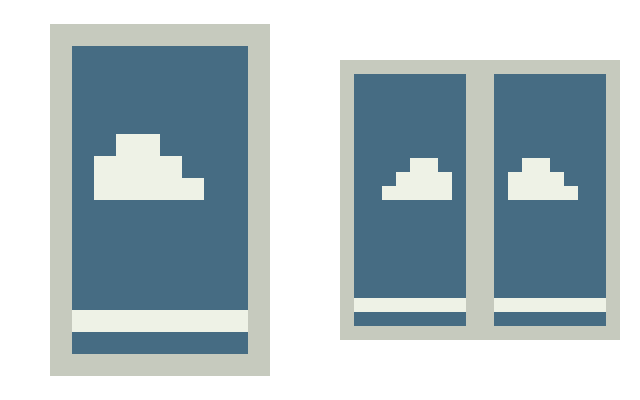
- A light cloud on a sky-blue background with a pale frame.
- In one file — a 10×16 texture, the inner side and wing unfold at 10×20.
- Edges and backing are filled; main faces do not contain transparent holes.
- The author's artwork may be used with proper attribution to JuxMC under CC BY 4.0.
- Edition
- Java
- Compatibility
- CustomSkinLoader and other clients with PNG 64×32 cape import
- Author
- JuxMC
- Usage Terms
- CC BY 4.0
This is an artist's design, not an official Mojang cloak. Loading it into a regular Minecraft profile does not grant the cloak to the account.
The texture includes elytra, but the display of these wings depends on the client or mod implementation.
Download cloak image · PNG 64×32 · 322 bytes

SHA256: 061b721c7bfefd39261b4ba9a71547e3678ec1e136096eca442e5c106b5a6411
Verified PNG size, solid face opacity, unfolding, and preview file compliance. File viewing does not confirm support by a specific third-party client.
- Download the PNG 64×32 without changing the size.
- For local skin via CustomSkinLoader, rename the file to your in-game username with the .png extension.
- Place the file in CustomSkinLoader/LocalSkin/capes inside the folder of the desired Minecraft profile and restart the game with the mod.
- For another client, use its skins section and check PNG 64×32 support. Other players will only see the image with compatible loading methods.
Will such a cloak be able to be loaded into a regular Minecraft profile?
No. These are images for compatible mods and clients, not official Mojang skins. Place PNGs in CustomSkinLoader/LocalSkin/capes/<nickname>.png. Visibility to other players depends on the skin service used.
How to select the right file?
Verify the format, Minecraft edition, and limitations on the material page. For skins, PNG size and hand models matter; for cloaks, client support is required; for maps and mods, game version and dependencies are important.
Who created these materials?
Author, primary source, and usage conditions are listed for each material. JuxMC's own materials are separately noted from those of other developers.
- North Star Minecraft Cape
- Ember and Flame Minecraft Cape
- Forest Leaf Minecraft Cape
- Amethyst Seal Minecraft Cape
- Ocean Wave Minecraft Cape
- Sunrise Minecraft Cape
Primary sources and usage conditions are listed on the page.